Why This Project
Before I ever wrote a line of code, I spent over ten years on warehouse floors — receiving, cycle counts, pick/pack, forklift work — living inside inventory systems as the person keying data in, not the person who built them. While working toward my A.A.S. in IT/Web Development, I wanted a project that put those two halves of my background together instead of building something generic: take the exact workflow I know cold from the floor and build it myself, from the developer's side.
The App
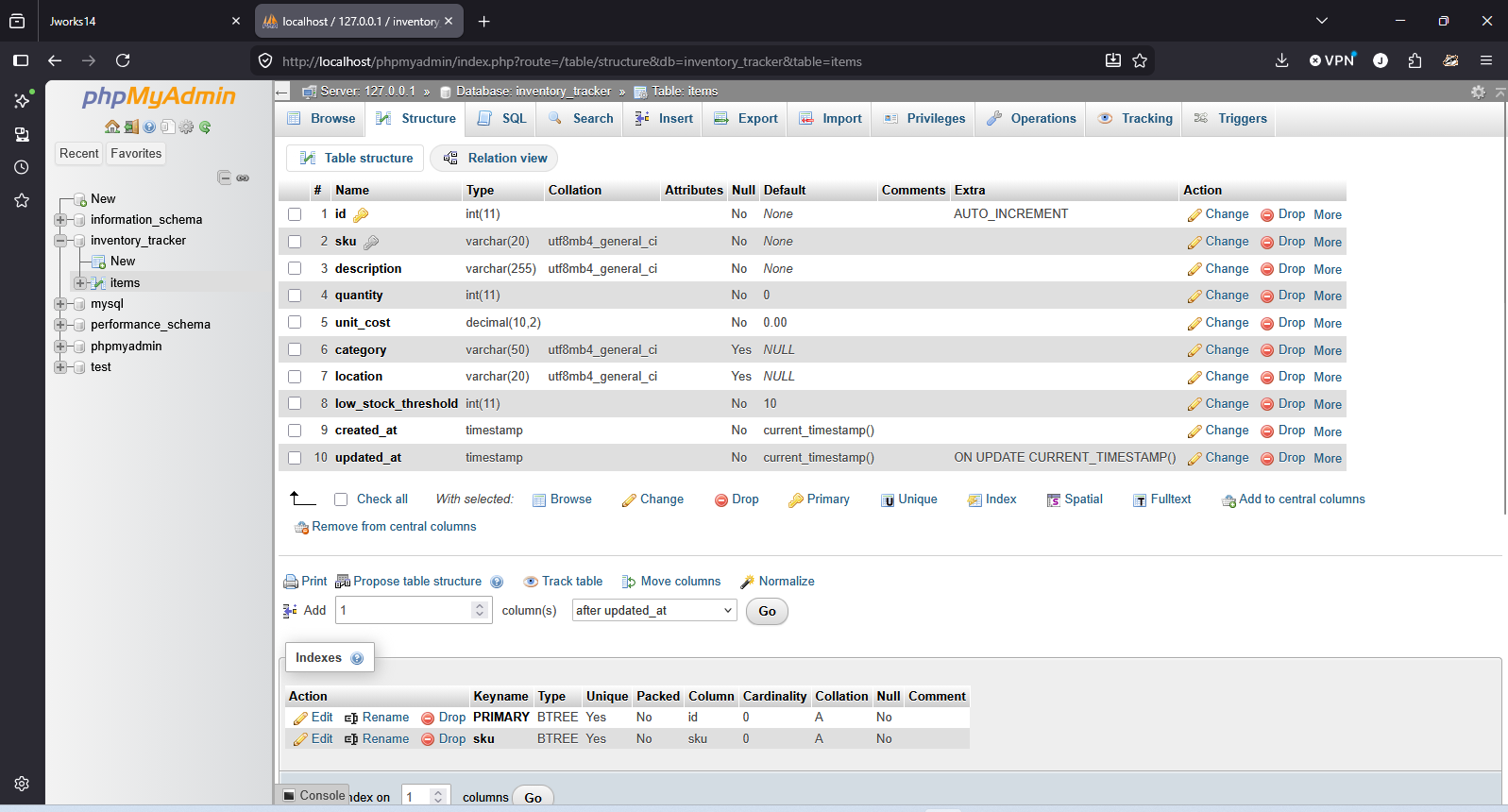
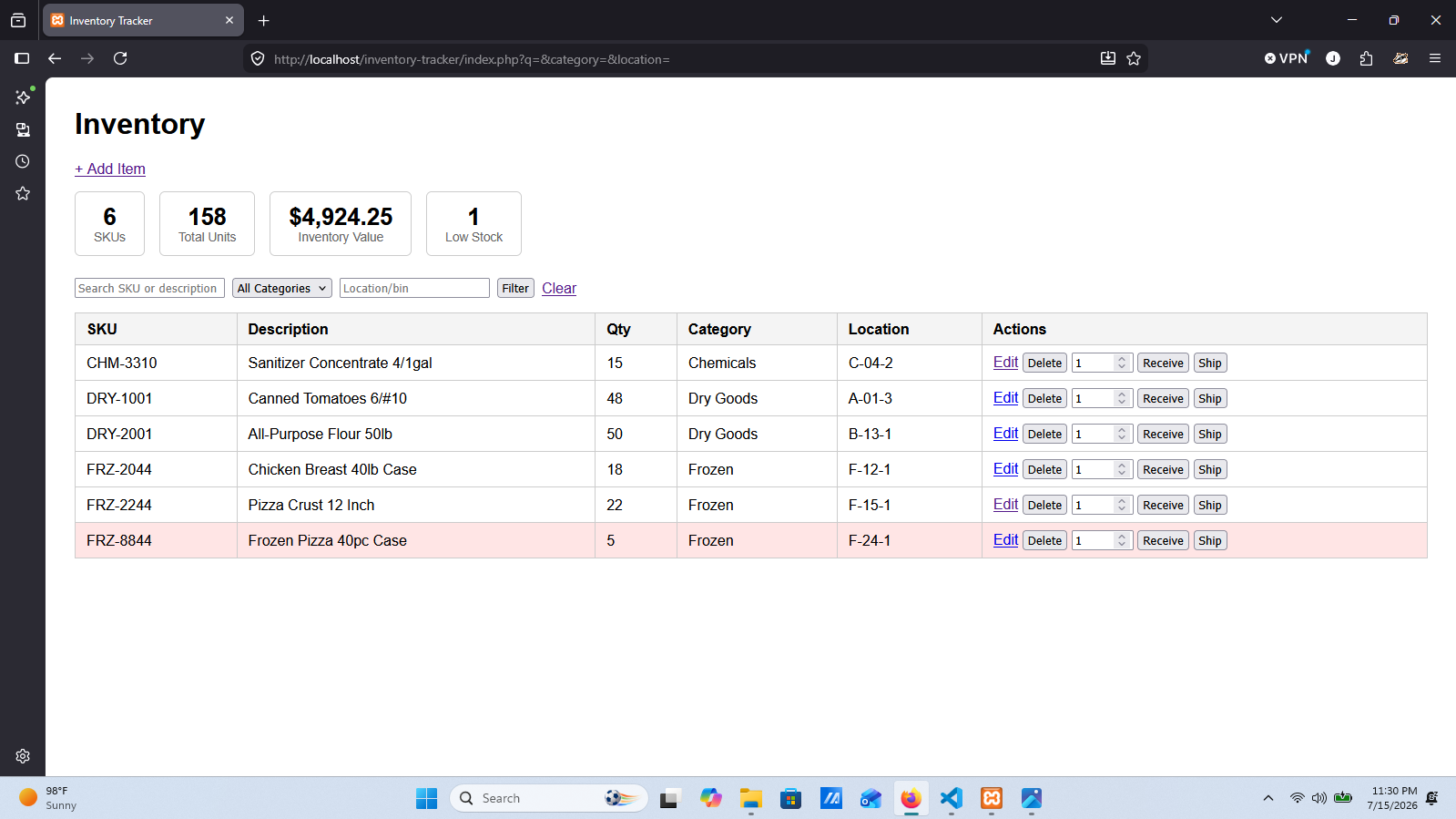
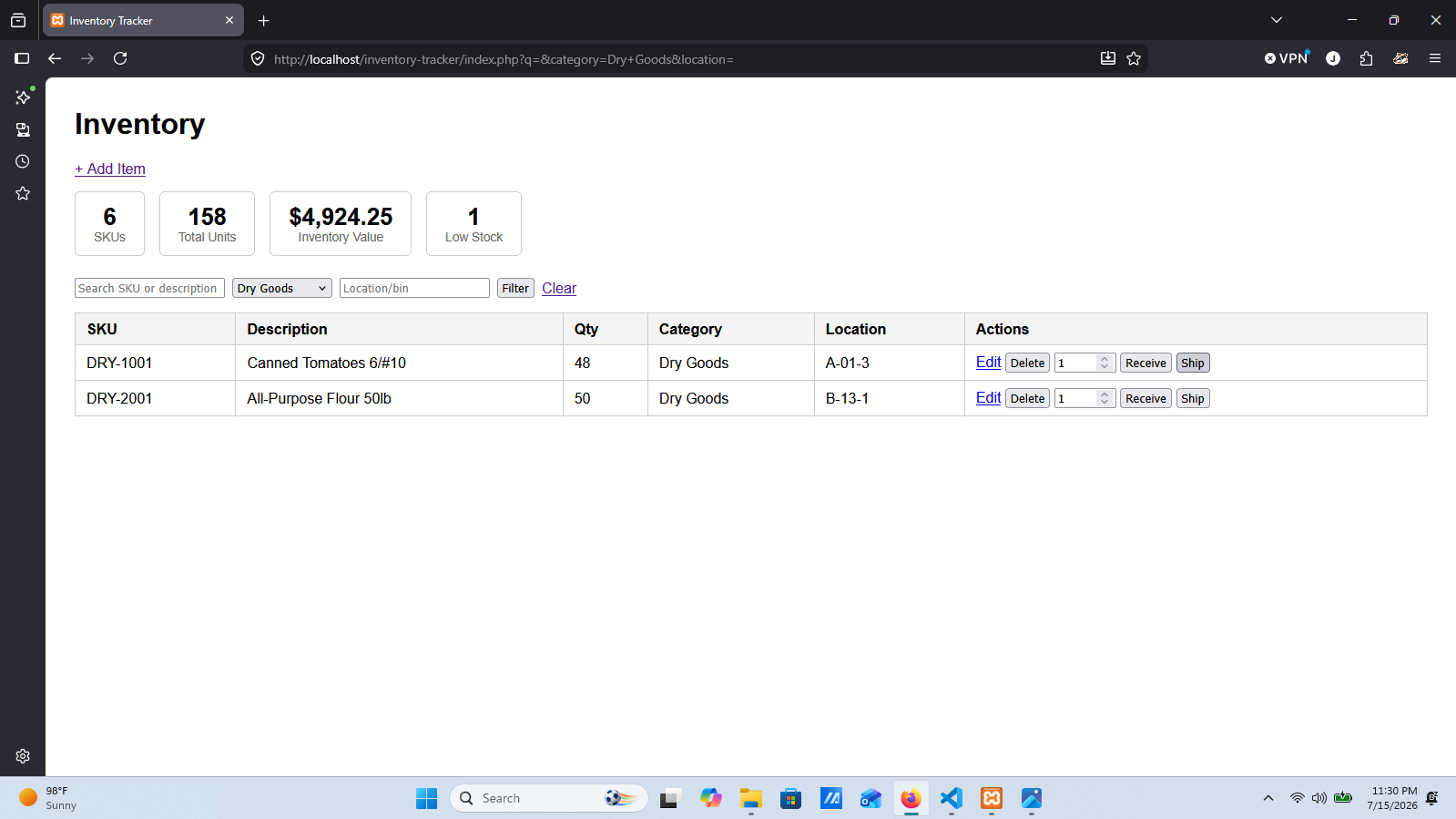
A small internal inventory tracker built with PHP, PDO, and MySQL (running locally via XAMPP), modeled on real warehouse floor work: search/filter a table of items, receive incoming stock, ship outgoing stock, and add/edit/delete items — the same core actions I used to perform by hand or through a WMS terminal for a decade, now built by me instead of just used by me. Item data lives in a single items table (SKU, description, quantity, unit cost, category, location/bin, and a low-stock threshold), designed and built out in phpMyAdmin before writing the PHP against it.
Features
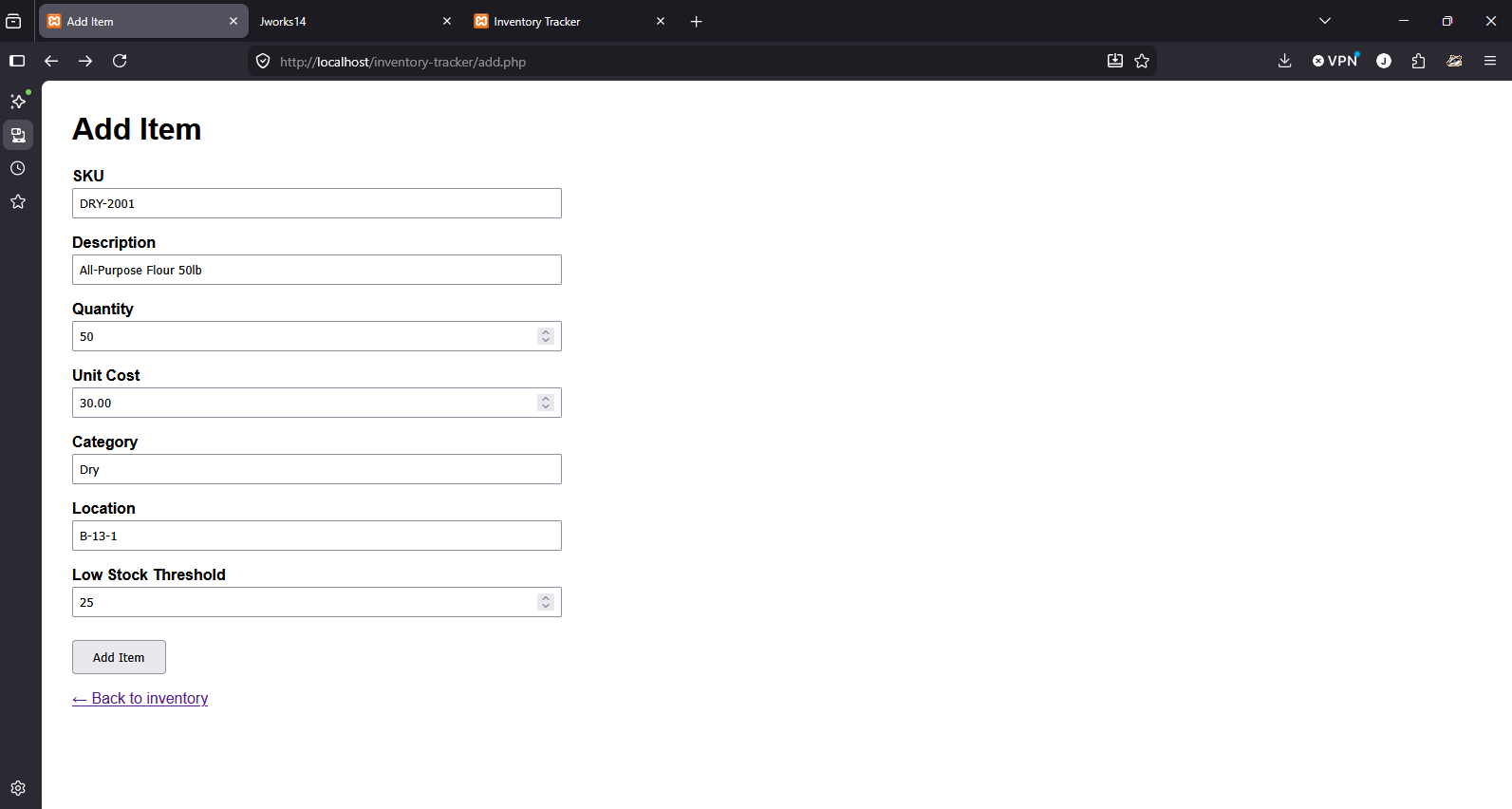
- Add, edit, and delete items — SKU, description, quantity, unit cost, category, and location/bin, with the SKU enforced unique at the database level.
- Receive and ship stock as distinct actions instead of a raw quantity edit — mirrors how stock actually moves in and out on a warehouse floor. Shipping is blocked from ever taking a quantity negative.
- Search and filter by SKU/description, a category dropdown, and location/bin — all three combine together.
- Live dashboard showing total SKUs, total units, total inventory value, and a low-stock count, with low-stock rows flagged directly in the table.
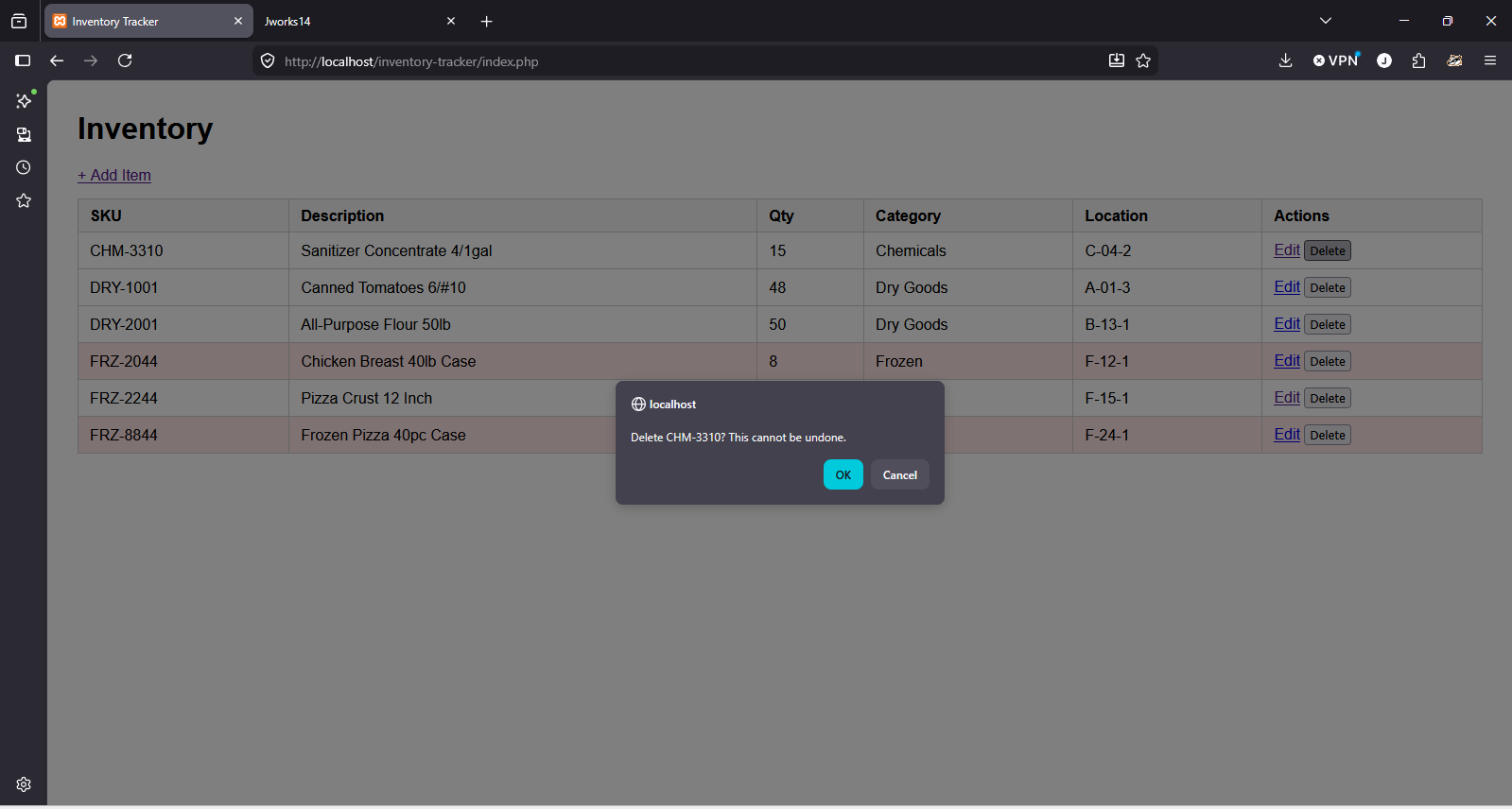
- Delete confirmation so an accidental click can't wipe out an item with no way back.
Fixing Bugs Along the Way
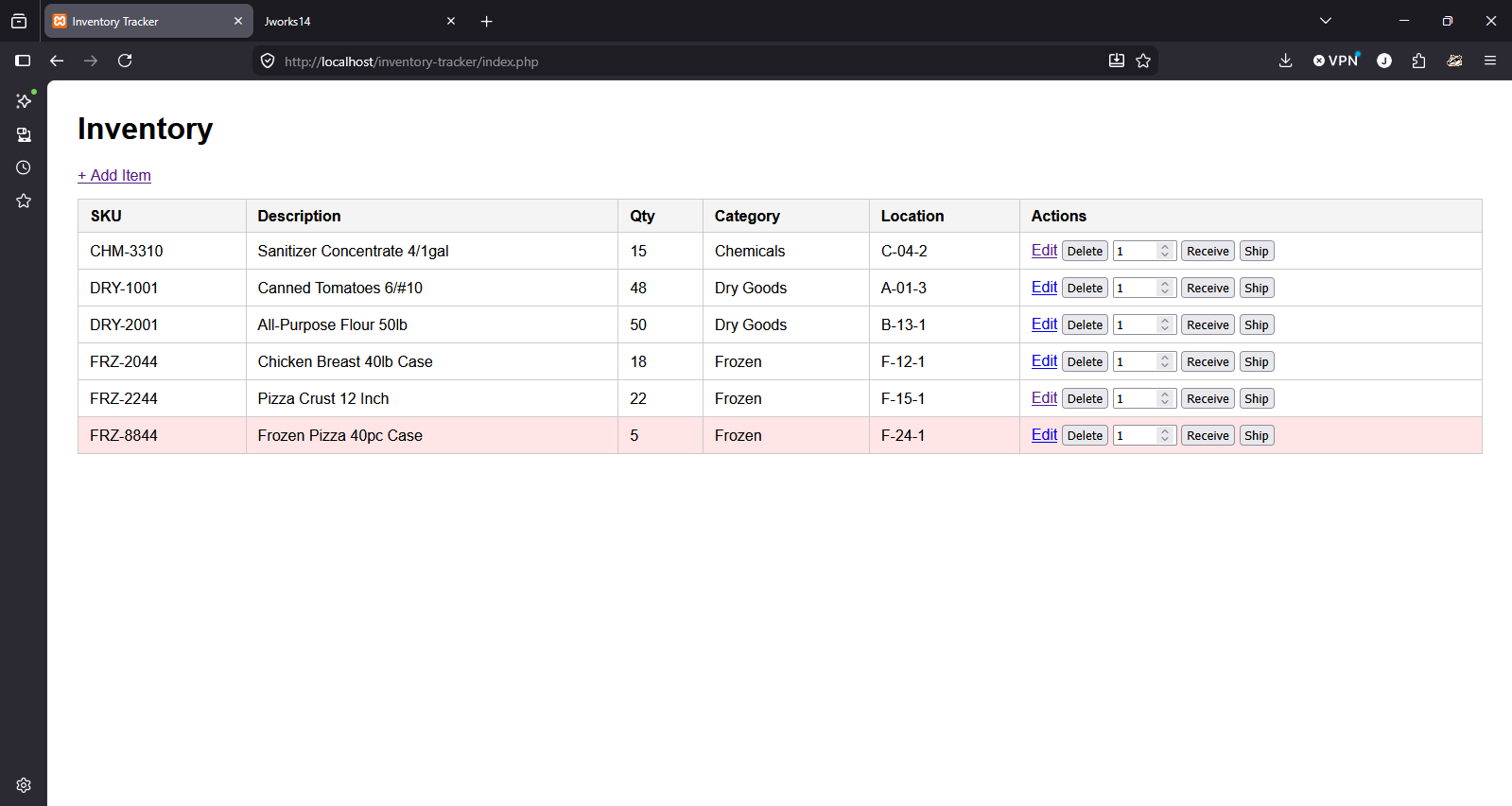
Building this also meant debugging it. Reviewing the app turned up a couple of real bugs: adding a duplicate SKU crashed the page with a raw PHP error instead of a friendly message, and shipping more stock than was on hand silently did nothing instead of telling the user why. Both are fixed now.